

Filter Sponge for JP-025F: Cleaning, Maintenance and Replacement
You'll learn when and how to clean your JP-025F filter sponge and when to replace it while protecting the beneficial bacteria that make your filtration work.
Invertebrate care · Detailed tutorial · About 8 minutes · Beginner friendly
The key habit: Mechanical media sponges should only be replaced when falling apart, and need periodic rinsing in dechlorinated water to prevent clogging.
Shop the Filter Sponge for JP-025F
In this guide
- How your filter sponge works
- How to rinse your sponge correctly
- Why you shouldn't replace it too often
- When you really need to replace it
- Protecting beneficial bacteria during maintenance
- What to watch for and troubleshoot
1. How your filter sponge works
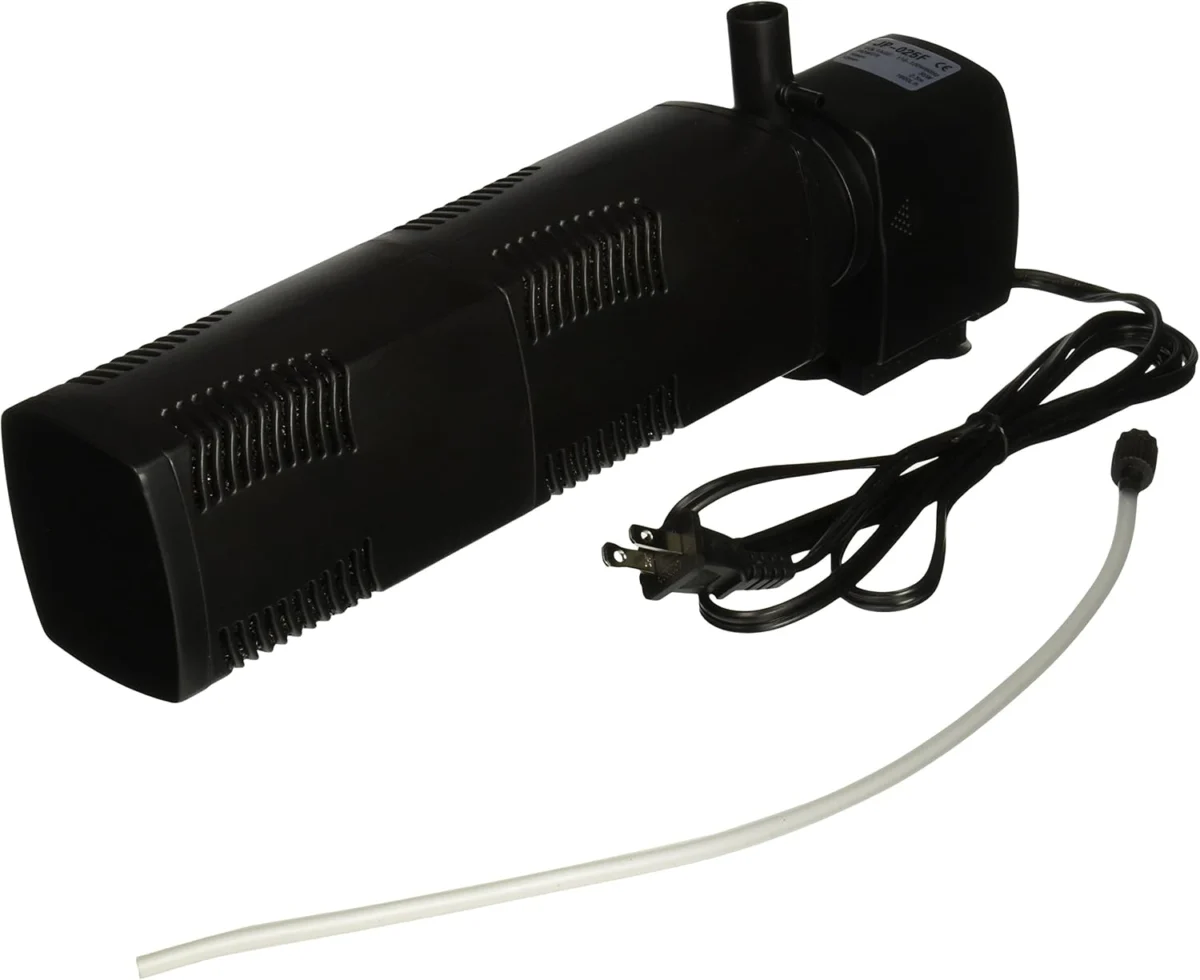
Your JP-025F filter uses a sponge that does two jobs at once. The internal filter offers both mechanical and biological filtration. The mechanical part traps dirt, debris, and uneaten food in the foam. The biological part is where the real magic happens—over time, colonies of beneficial bacteria reside in the sponge. These bacteria break down ammonia and nitrite, which are toxic to your fish and inverts. This is why how you treat the sponge matters so much.
2. How to rinse your sponge correctly
Rinse the sponge every 2–4 weeks or when brown buildup, weak flow, or debris appears.
Gather before you start
- A bucket or container
- Water from your tank (saved during a water change)
- The JP-025F filter
- A clean surface to work on
- Turn off the pump and unplug the filter from the electrical outlet.
- Lift the filter gently from the aquarium and keep it upright to avoid spilling debris.
- Fill your bucket with aquarium water you've removed during a water change.
- Remove the sponge from the filter body by gently sliding or unclipping it (your manual shows the exact method).
- Place the sponge in the aquarium water and gently squeeze it several times, releasing brown debris into the water.
- Inspect the sponge to make sure water can flow through it easily when you gently press it.
- Reinstall the cleaned sponge in the filter body.
- Reconnect the filter to the aquarium and plug it back in.
- Check that flow is strong and steady before walking away.
Important: Avoid using tap water or harsh chemicals, as they can harm the beneficial bacteria. Use dechlorinated water to prevent it clogging and preventing water flow.
3. Why you shouldn't replace it too often
Many aquarium suppliers recommend replacing filter media frequently—but replacement with clean products will remove the nitrifying bacteria, which is the true power of the filter. When you replace the sponge, you lose most of your beneficial bacteria and risk ammonia and nitrite spikes. Your tank may need to cycle all over again, putting your fish and inverts at risk.
Rinsing in aquarium water removes trash without killing bacteria. The bacteria cling to the sponge foam and survive the gentle squeezing process.
4. When you really need to replace it
Mechanical media sponge should only be replaced when falling apart, and this should be years down the line. Discoloration and staining are not reasons to replace the sponge—that brown color means bacteria have colonized it heavily and your filter is working well.
Signs it's time to replace:
- The sponge is visibly crumbling or tearing apart
- Pieces come off in your hand when you gently squeeze
- The structure is no longer holding its shape
- Holes or permanent damage are visible
- It no longer springs back after squeezing
5. Protecting beneficial bacteria during replacement
If your sponge truly needs replacement, you can cut the sponge in half leaving half of the old one in place, and replace the other half with new. It will take about six weeks for the new sponge to become mature. After that time you can replace the second half.
You can also remove the old sponge and leave it at the bottom of the tank near where you plan to keep the new one, then install the new one rinsed before adding to the tank. Let the old sponge sit in the tank for a few weeks near the new filter and then remove it. The old sponge's bacteria will seed the new sponge.
If you must replace the sponge completely at once, it's a good idea to add live filter bacteria when conducting any tank maintenance as inevitably some bacteria will be lost.
6. What you notice and what to check
| What you notice | What to check next |
|---|---|
| Brown or tan buildup on sponge | This is normal bacteria growth; rinse gently in tank water |
| Flow from the filter weakens | Remove filter and rinse sponge in tank water; check intake tube for blockage |
| Water stays cloudy after rinsing | Wait 24–48 hours; the sponge may have released mulm; if it persists, check filter placement and tank parameters |
| Sponge tears or crumbles during rinsing | It's time to replace; cut in half or seed the new sponge from the old one |
| No visible flow from filter | Unplug, check that sponge is seated correctly, and make sure the intake tube is not blocked by gravel or rock |
Your care log
Filter type: JP-025F
Started maintenance on: ______
Rinsed on: ______
Next rinse due: ______
Full replacement: ______ (Record date of replacement if sponge breaks down)
Notes: ______
Sources
Checked October 11, 2026.
- Green Chapter, "Filter Maintenance: Sponge Filter," gcshop-sg.com
- Swell UK, "How to change the aquarium filter without losing bacteria," swelluk.com
- Aquarium Advice, "How often to replace certain elements (e.g. Filter media)," aquariumadvice.com
- QPSL, "JP 025F Internal Filter," qpsl.com
- Pet Science Review, "Aquarium Sponge Filter Setup Protocol," petsciencereview.com