

How to Use Activated Carbon in a Reef Tank
Choose the right amount, rinse away dust, and build a replacement routine that keeps your water clear without unnecessary changes.
Detailed tutorial · About 6 minutes · Beginner friendly
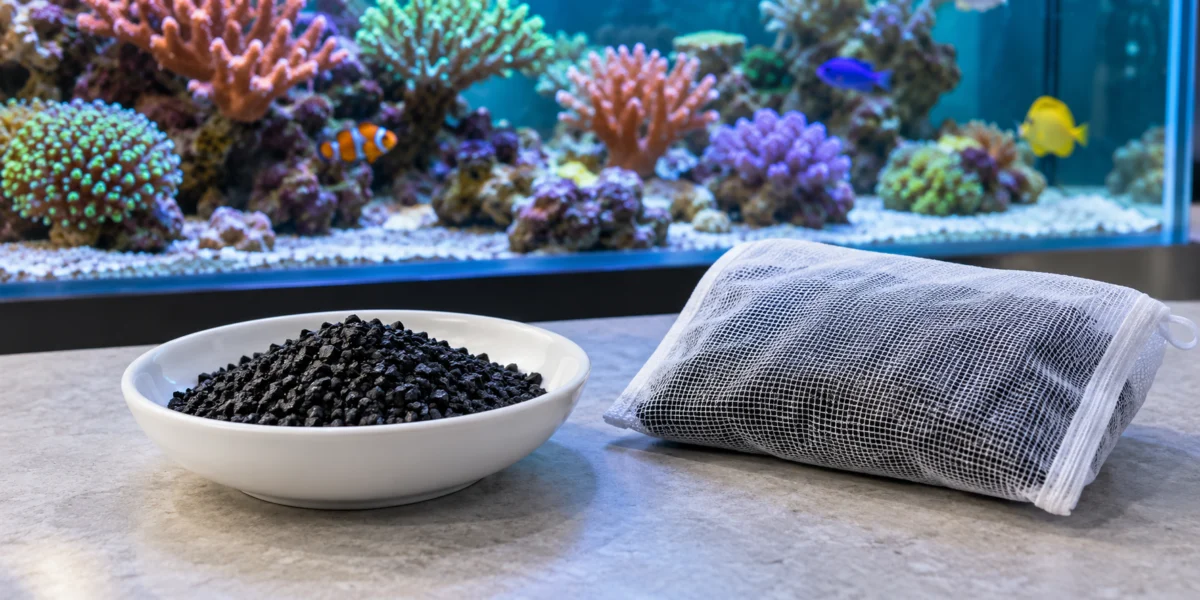
Activated carbon and a media bag. AI-generated editorial illustration; choose bag mesh that retains your actual media.
The key habit: Measure what you use and record when you replace it. A repeatable routine is easier to troubleshoot than adding an unmeasured handful whenever the water looks different.
In this guide
- Understand what carbon does
- Choose your media and equipment
- Calculate the amount
- Rinse and install
- Watch the first few days
- Plan replacement and troubleshoot
1. Understand what carbon does
Activated carbon contains a network of pores where certain dissolved substances attach to surfaces, a process called adsorption. In a reef aquarium, it can help remove yellowing compounds and some sources of unwanted odor. It is one tool for maintaining water clarity, alongside your regular husbandry. [1]
Start by identifying your goal. Are you polishing mildly yellow water, following a medication’s removal instructions, or simply establishing routine chemical filtration? Write down the reason before adding media. That gives you something concrete to review afterward.
Do not confuse solid activated carbon with liquid carbon dosing used in nutrient-management systems. They are different methods. Carbon also does not replace your biological filter, make an uncycled aquarium ready for livestock, or provide a reliable standalone solution for high nitrate and phosphate.
2. Choose your media and equipment
Select activated carbon labeled for aquarium use and suitable for marine systems. Read the specific package before buying a large container: granule size, quantity, preparation, and replacement advice vary. Do not substitute barbecue charcoal or fuel briquettes.
A fine-mesh media bag is a practical starting point. Match the mesh to the carbon’s particle size, check seams, and make sure the closure stays secure underwater. A dedicated reactor offers another way to pass water through the media, but adds tubing, a pump, and another maintenance task. Both approaches need water contact with the carbon. [1,2]
Gather before you start
- Your chosen carbon and its current directions.
- A suitable media bag or compatible reactor.
- A dedicated measuring spoon or graduated container.
- Rinse water prepared according to the product instructions.
- A clean aquarium-only bucket and a maintenance log.
Decide where the media will sit before wetting it. You should be able to remove it without dismantling the sump or reaching around exposed electrical connections.
3. Calculate the amount for your system
Use your estimated operating water volume, including sump water and allowing for displacement by rock and sand. The aquarium’s advertised capacity alone can overstate how much water you actually have. Keep the estimate in your log so future calculations use the same starting point.
Use the amount specified for your exact product. For example, Seachem lists 250 mL of MatrixCarbon for 100 US gallons; that instruction should not be transferred to a different carbon. [3]
A worked example
For a system containing approximately 60 US gallons, scaling that particular instruction gives:
250 mL × (60 ÷ 100) = 150 mL
This is a label-scaling example for MatrixCarbon, not a universal carbon dose. Follow any introductory-use directions for the product and avoid exceeding its recommendation.
Record the product name, estimated water volume, measured amount, installation date, and planned review date. Keep a photograph of the label with your notes so you can check it even after the packaging is discarded.
4. Rinse and install carefully
- Contain the granules. Measure the media into the bag or load the reactor as its manual describes.
- Remove loose dust. Rinse as directed until the runoff is clear. Avoid grinding or squeezing the granules together, which can create more fines.
- Check the water path. Position the bag where water passes through it. Do not let it obstruct an overflow, drain, or pump intake.
- Set reactor flow conservatively. Follow the reactor and carbon instructions; avoid vigorous tumbling that abrades the media. Route initial dusty discharge to a waste container, not the display.
- Recheck the installation. Confirm secure tubing, normal chamber water levels, and no escaping granules. [2,3]
If flushing a reactor removes saltwater from the aquarium, account for that volume and replace it with matched saltwater. Do not allow an automatic top-off to replace a deliberate saltwater loss with freshwater unnoticed.
5. Watch the first few days
Take a baseline photograph before installation, then repeat it from the same position under similar lighting. For a simple visual comparison, inspect equal-depth samples of tank water and freshly mixed saltwater in identical clean, clear containers against a white background. This can reveal a yellow tint that blue aquarium lighting hides. It is a clarity comparison, not a contamination test. [1]
Removing yellowing compounds can improve light penetration. Avoid increasing lighting while introducing carbon, particularly if the water was strongly discolored. Observe coral appearance and use a PAR meter when available to assess a substantial change in underwater light. [1,2]
For the first few days, make one brief daily entry: water appearance, coral extension, fish behavior, and equipment flow. Keep feeding and other maintenance as consistent as practical. Changing several things at once makes it difficult to identify which change caused a response.
6. Plan replacement and troubleshoot
There is no single replacement interval for every carbon and aquarium. BRS currently recommends a short replacement cycle for its carbons, while Seachem describes a much wider service-life range for MatrixCarbon depending on water conditions. Follow the current instructions for your media and review actual performance. [2,3]
Put the first review on your calendar when you install it. At each review, record whether the bag is clogged, flow has fallen, or yellowing has returned. Rinsing away debris does not restore exhausted adsorption capacity. Replace spent media rather than trying to regenerate it in a household oven.
| What you notice | What to check next |
|---|---|
| Black specks or dusty discharge | Stop the media feed if applicable. Inspect bag seams, mesh size, rinsing, and reactor agitation. |
| Little change in water appearance | Check whether water bypasses the bag and whether the discoloration is actually suspended debris. |
| Reduced filter flow | Inspect the bag and mechanical filtration for trapped debris before increasing pump output. |
| Corals look different after installation | Check temperature, salinity, alkalinity, lighting changes, and escaping dust. Do not assume carbon is the only possible cause. |
| Medication is being used | Read its filtration instructions first. Carbon can remove some treatments; timing depends on the medication. |
If animals show acute distress or contamination is suspected, investigate immediately. Carbon is not a guarantee that an unknown chemical has been removed.
Your next maintenance entry
Product: ______ Amount: ______ Installed: ______
Review date: ______ Water clarity and livestock observations: ______
Use the same notes at every replacement. Over time, your own records will make this small maintenance job more predictable.
Sources and product directions
Product guidance checked October 5, 2026. Reference addresses are plain text.
- Bulk Reef Supply, “How To Use Our Favorite Reef Tank Filtration Media – Activated Carbon!” https://www.bulkreefsupply.com/content/post/5-minute-saltwater-aquarium-guide-ep23-carbon
- Bulk Reef Supply, “How To Use Activated Carbon Filter Media,” updated February 4, 2026. https://www.bulkreefsupply.com/content/post/how-to-use-brs-carbon
- Seachem, MatrixCarbon directions and FAQ. https://seachem.com/matrixcarbon.php